Profila Sign up

Help Guide

How Profila works for you.
Profila

Start here

Every screen on this page is yours

These are real screenshots of the Profila app, taken on a phone. Everything you see here is what you see as a customer — your feed, your signals, your data. Nothing on this page is a brand’s view of you, because brands do not get one.

Getting in

Step 1

A code, not a password

There is no password to forget. You give an email address, Profila sends a six-digit code, and sign-up asks three things — each of which earns its place.

What you see — signing up

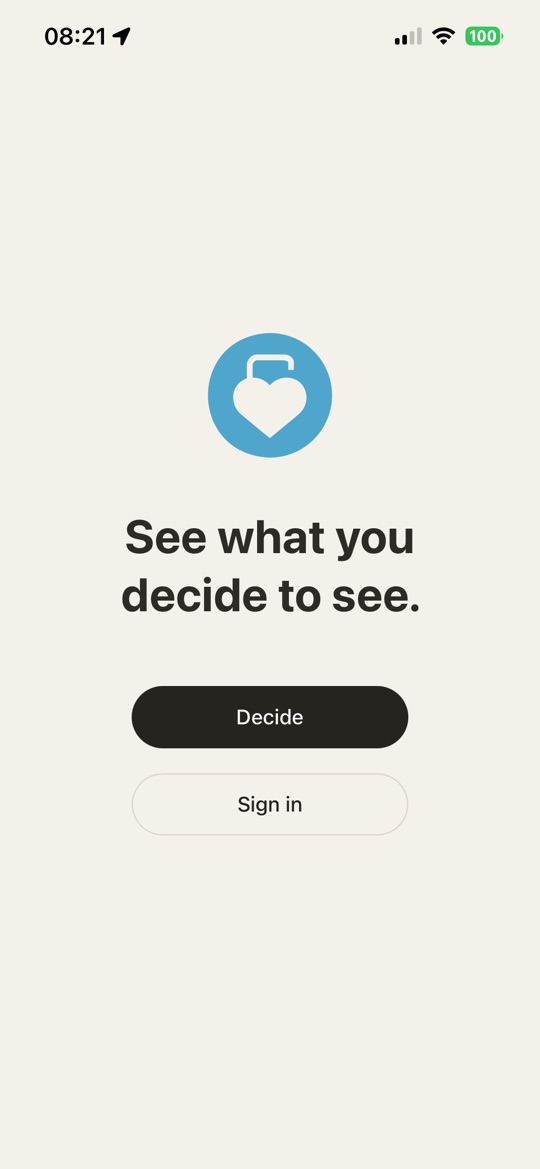
The Profila welcome screen: “See what you decide to see”, with Decide and Sign in
Decide to create a Profila, or sign in if you have one.
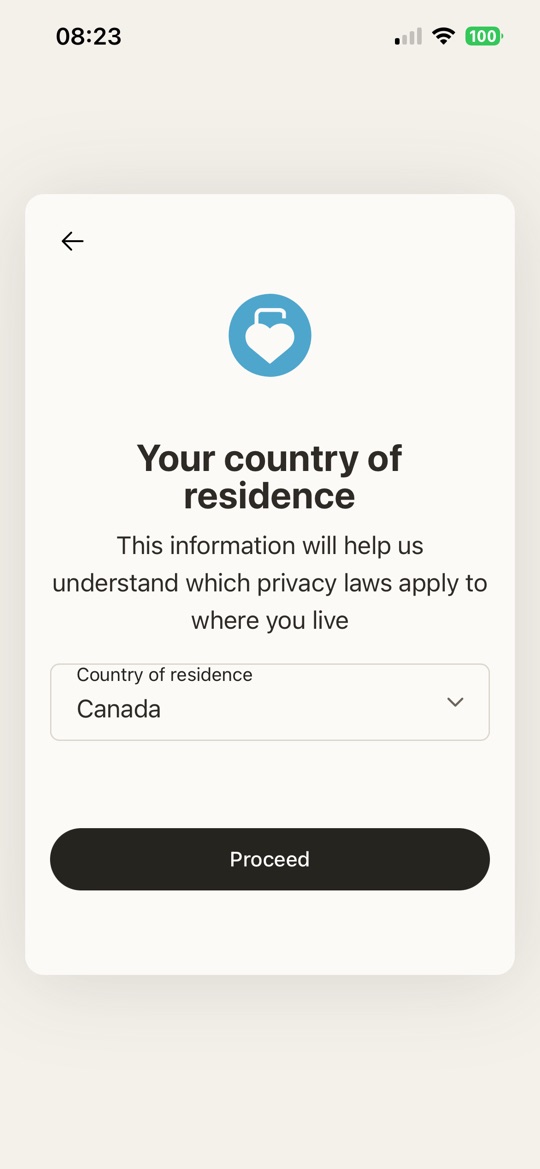
Sign-up asking for country of residence, explaining it decides which privacy laws apply
Country decides which privacy law covers you. It is not used to target you.
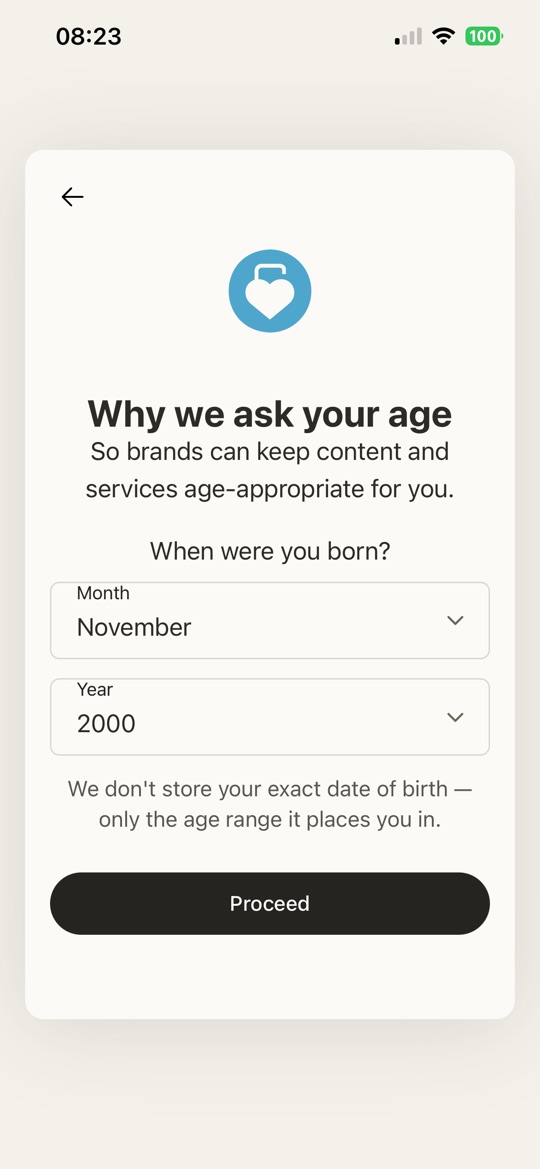
Sign-up asking for month and year of birth, stating the exact date is not stored
Month and year only, checked once for an age range. The exact date is never written down.
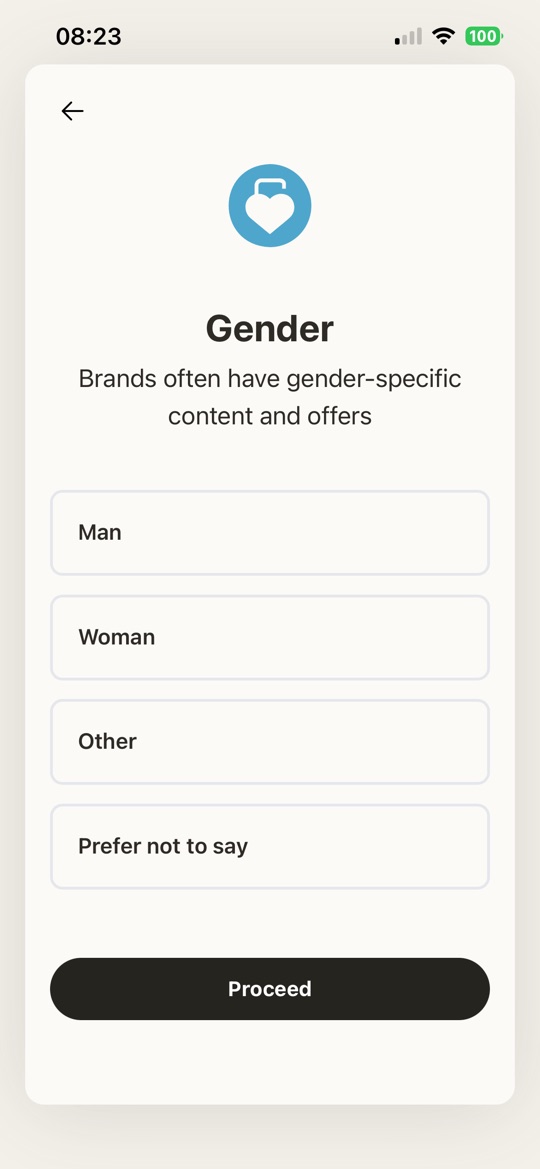
Sign-up asking for gender, with a “Prefer not to say” option
Optional. “Prefer not to say” is a real answer, not a dead end.
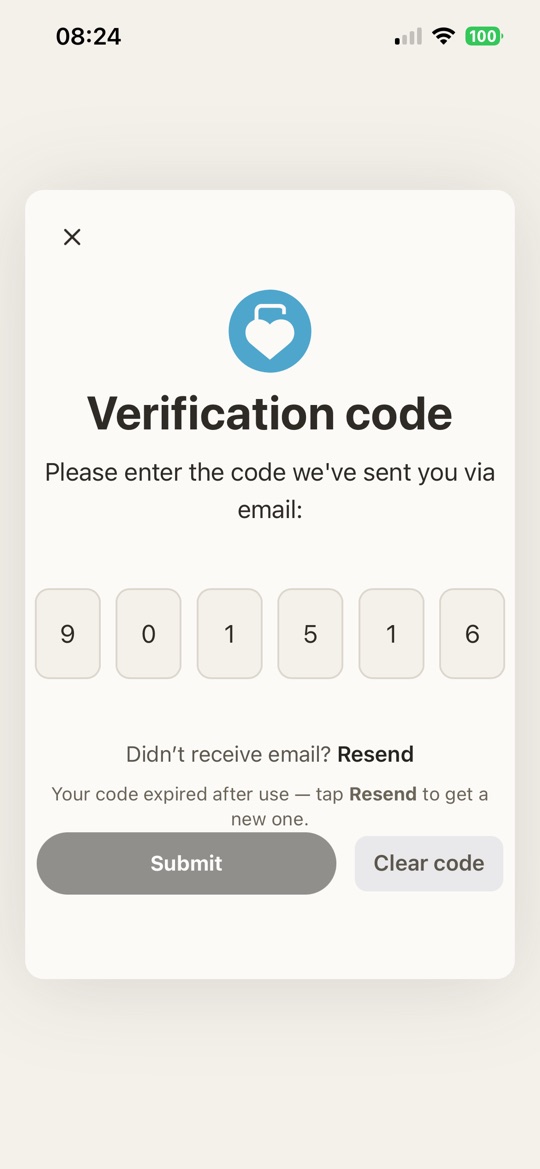
The six-digit verification code screen
The code works once, then expires.
Your first signal

Step 2

Say what you want, in your own words

A signal is you saying what you are looking for. It is the only thing Profila works from — there is no tracking underneath it, so if you do not say it, it does not exist.

The whole flow

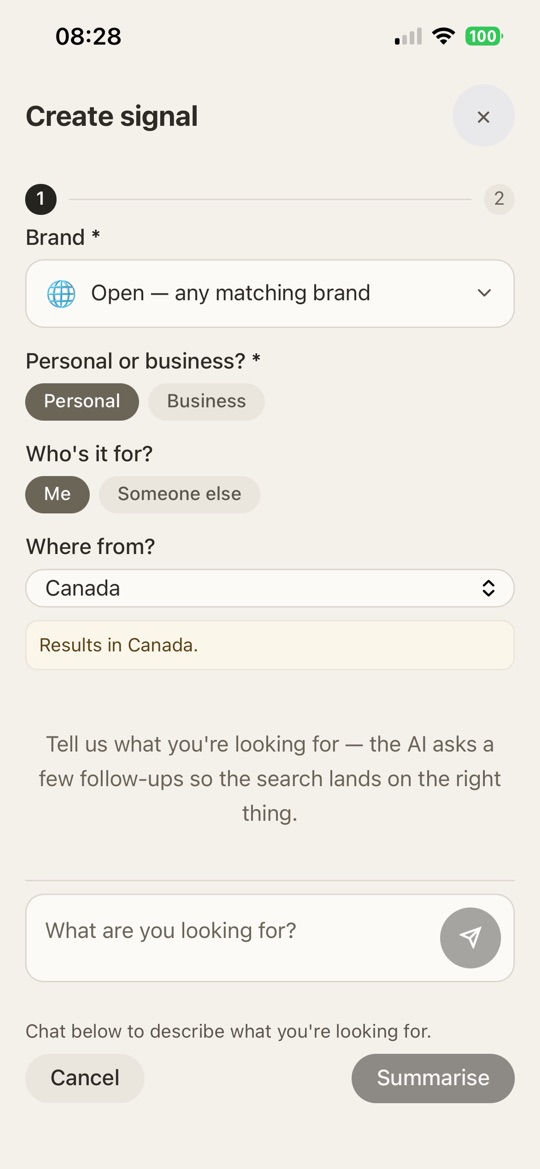
Create signal step 1 — choose Open or a brand, personal or business, and a market
1 · Open lets any matching brand answer. Name one instead and it stays between you.
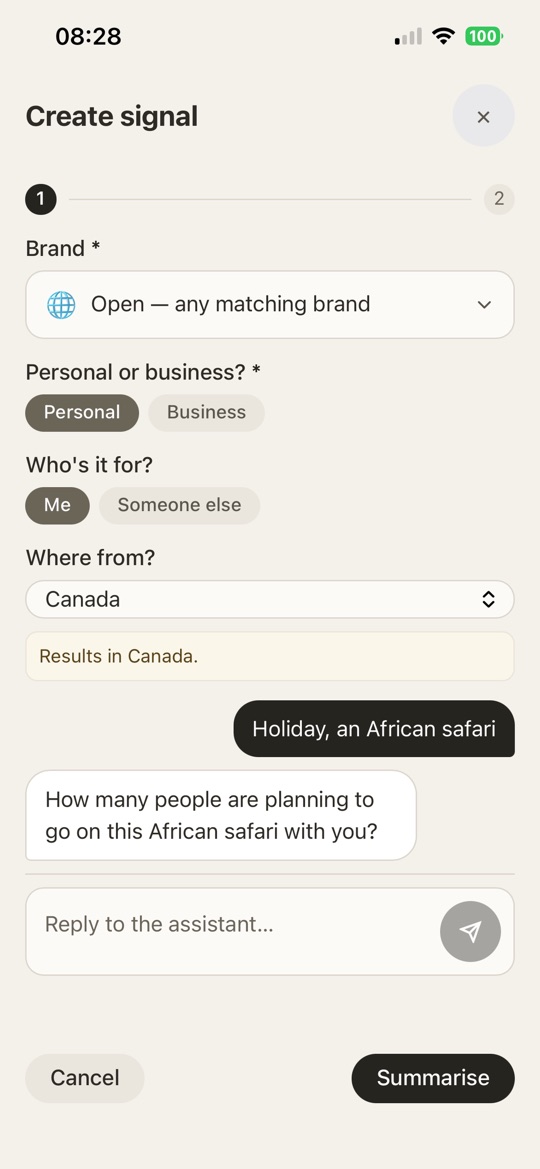
Create signal — saying “Holiday, an African safari” and the assistant’s first follow-up
2 · Type it plainly: “a rustic African safari, ten nights, three adults, around $7,000”.
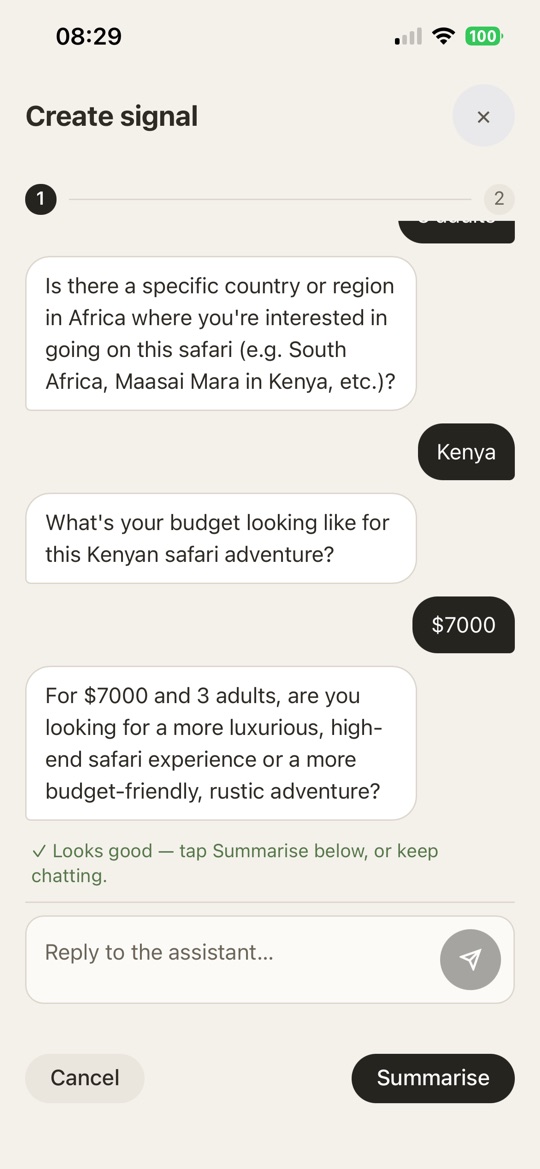
Create signal — the assistant narrowing down destination, budget and style
3 · One or two follow-ups so the search lands right. Stop whenever you like.
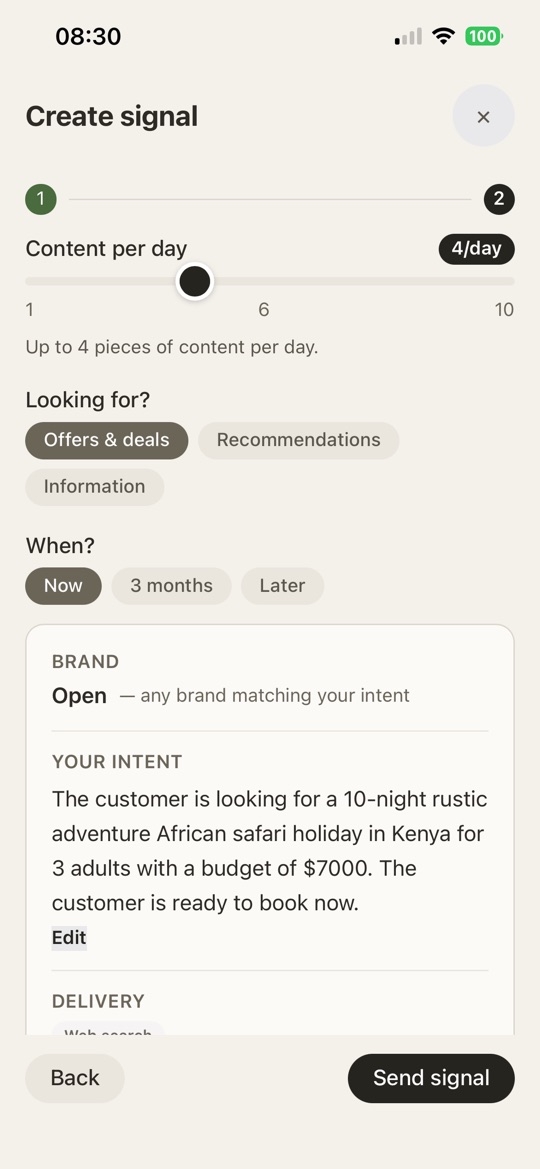
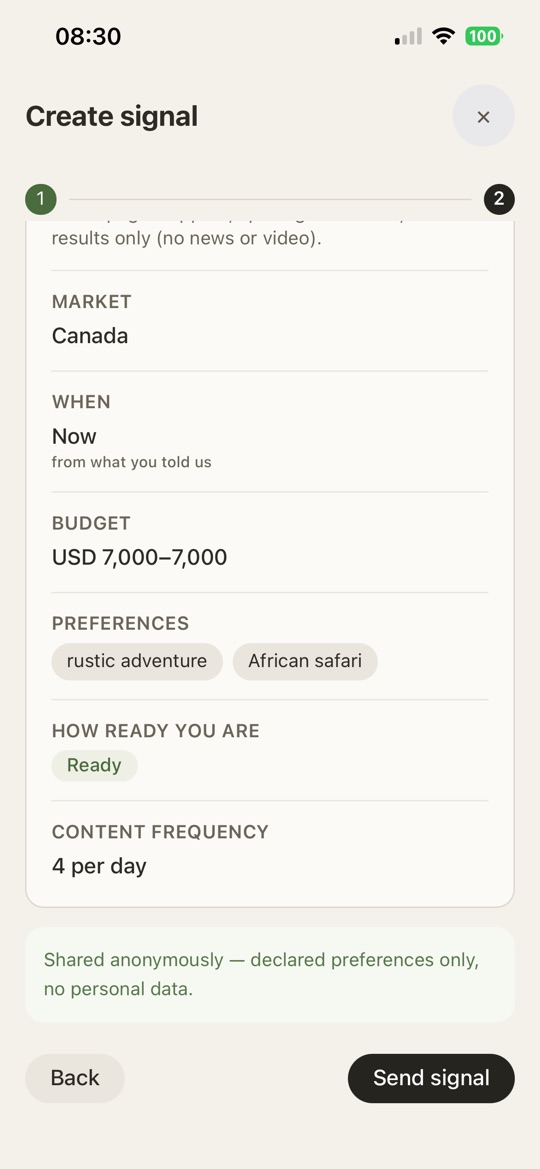
Create signal step 2 — content per day, what you’re looking for, when, and the summary
4 · Read back what it understood, then set how much a day and whether you are looking now or later.
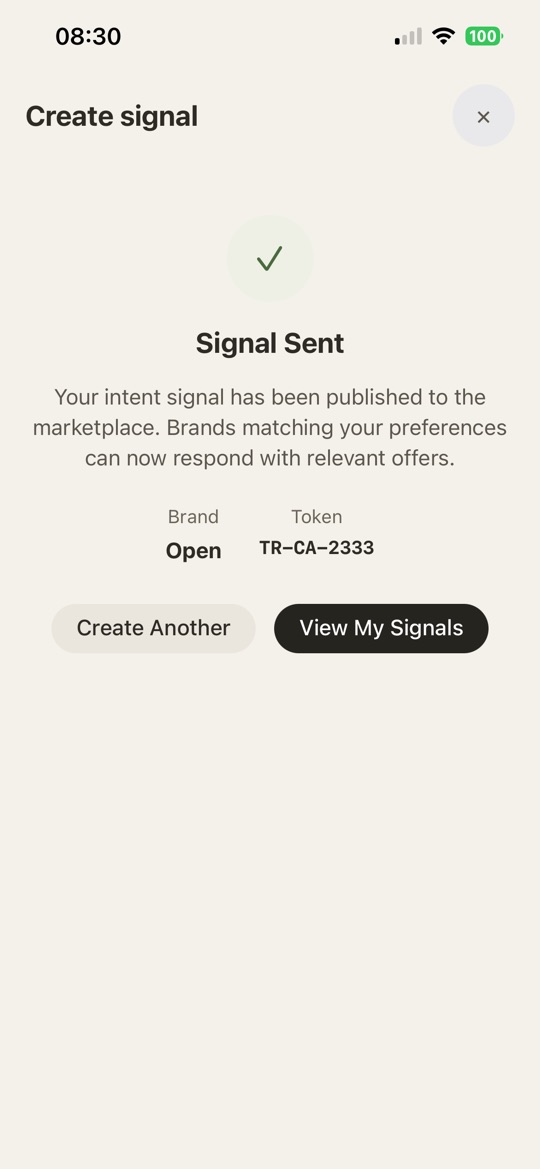
Signal sent, with its token TR-CA-2333
5 · Sent, with a token you can trace it by.
Before anything leaves

The receipts

You see the search before it runs

This is the part most apps do not have: you see the search before it runs, and you see exactly what does and does not travel with it.

What you see — before anything leaves

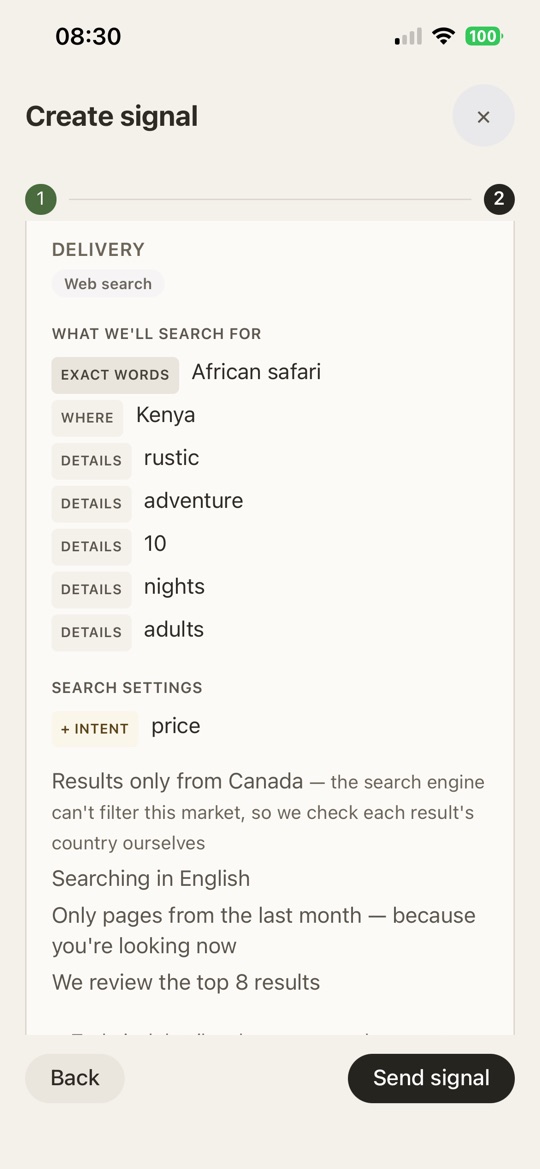
A signal summary listing the exact words that will be searched for and the search settings
The exact words it will search for, plus country, language, how recent and how many results.
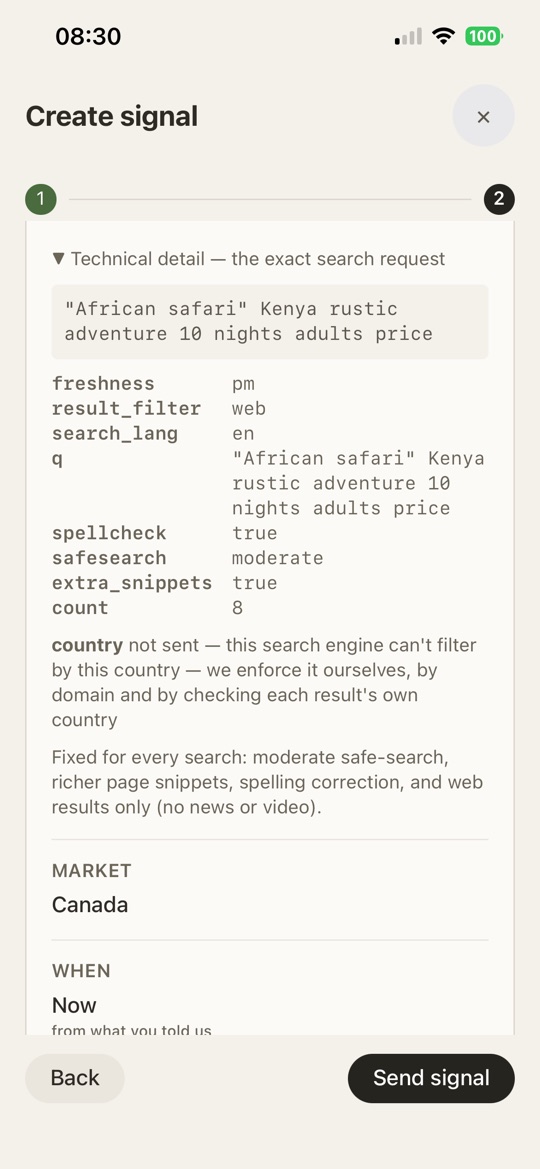
The technical detail panel showing the literal search request, field by field
The literal request, field by field. Where a setting cannot be enforced, it says so.
A signal summary confirming it is shared anonymously — declared preferences only, no personal data
Declared preferences only. Your words become a category; your name does not travel with them.
Your feed

Content

A finite feed you can read to the end

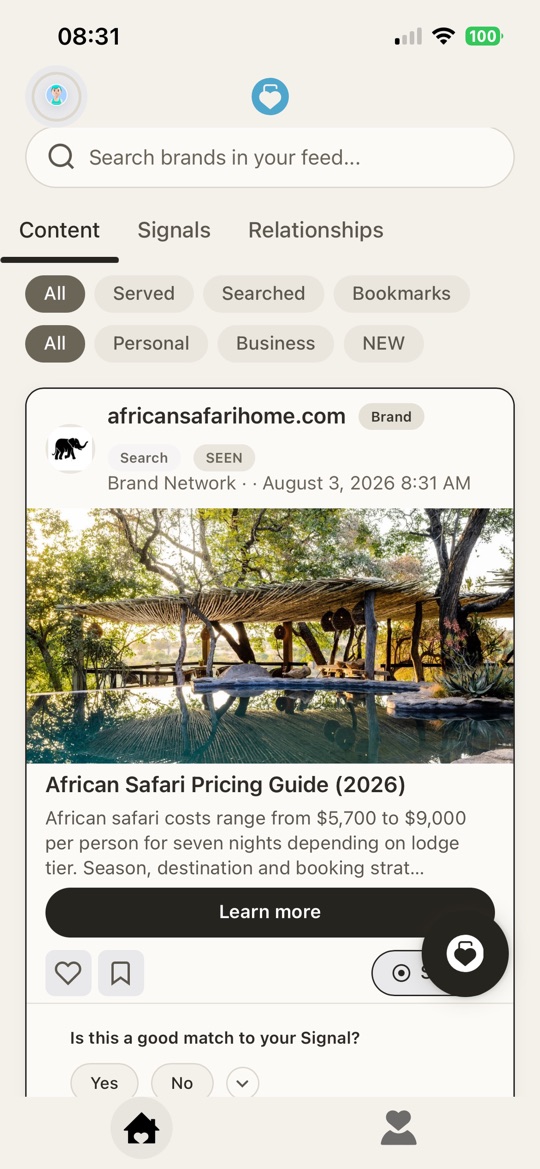
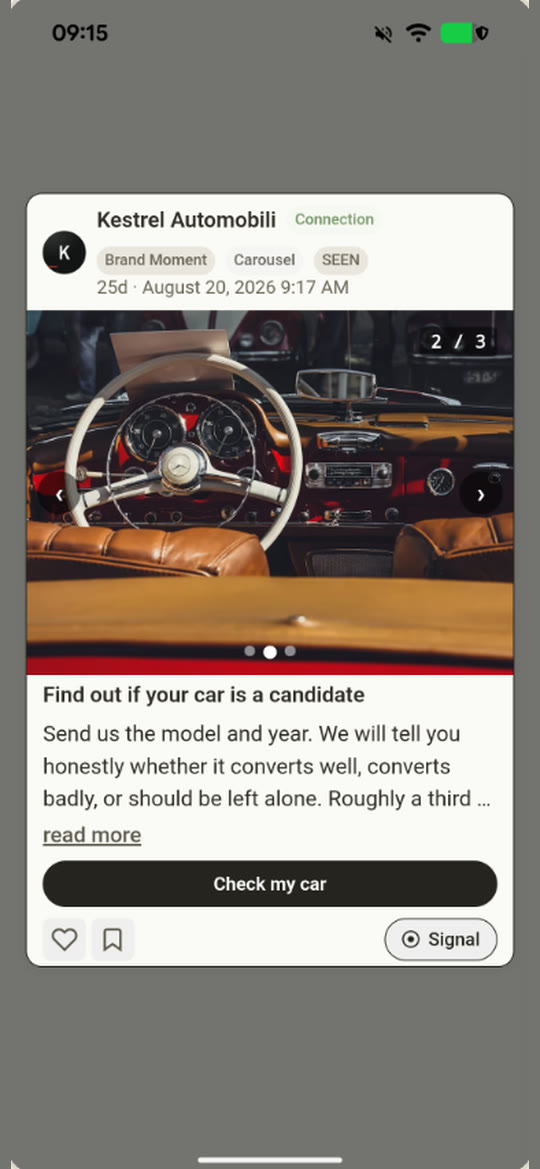
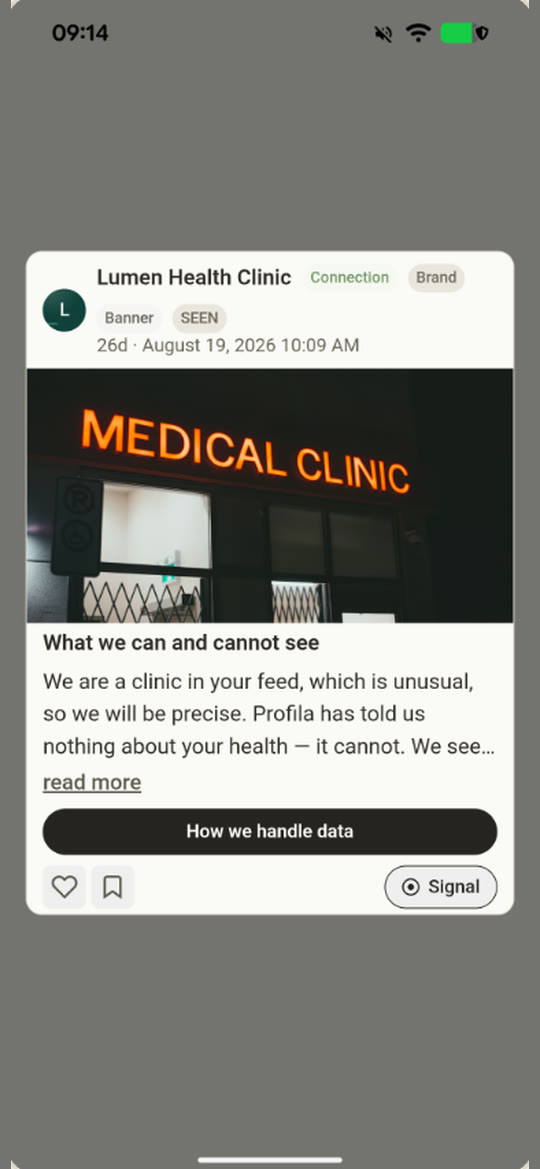
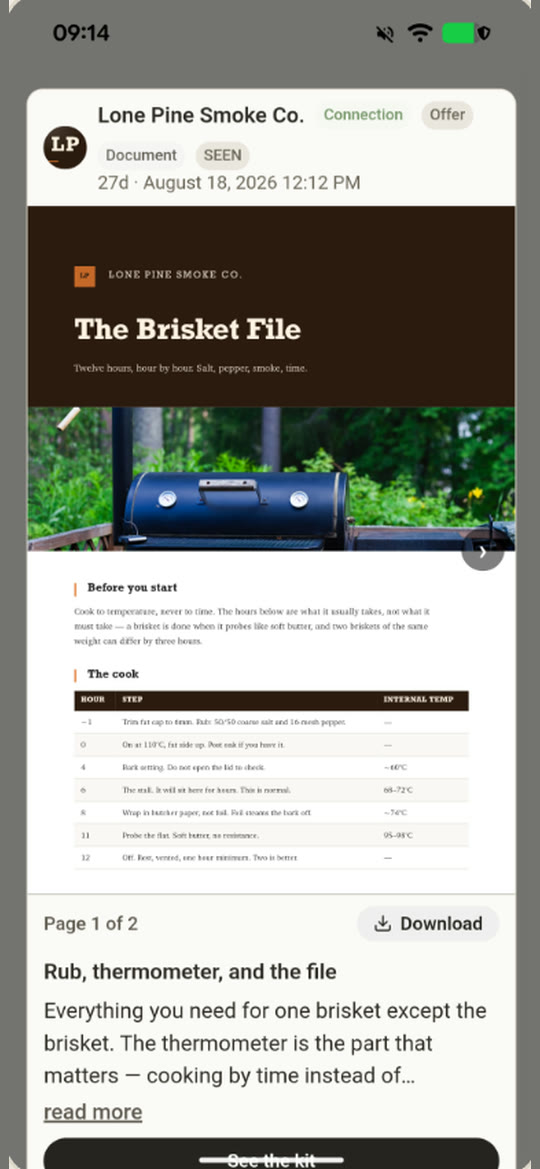
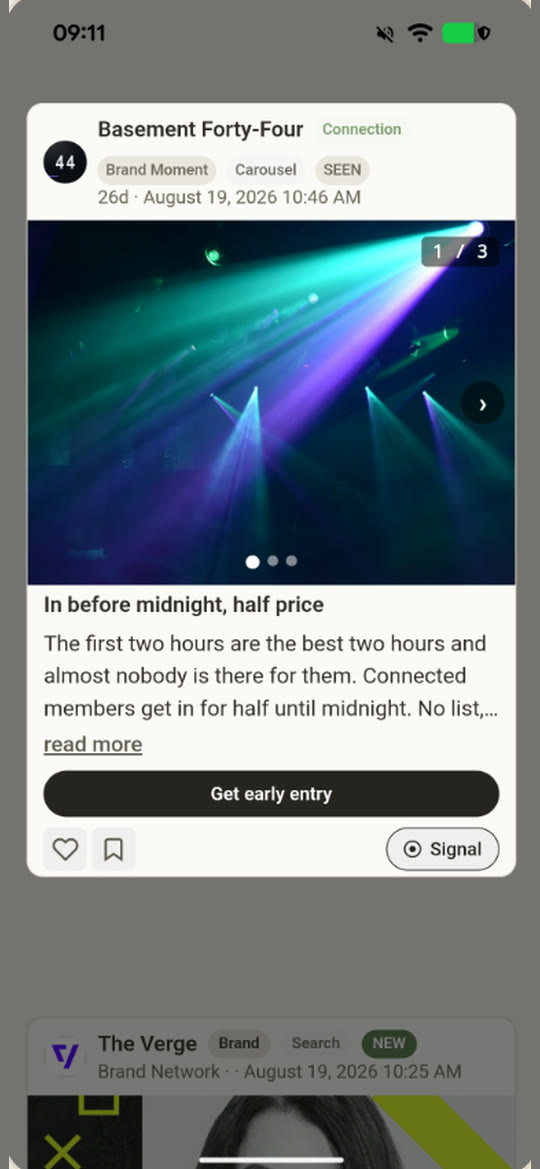
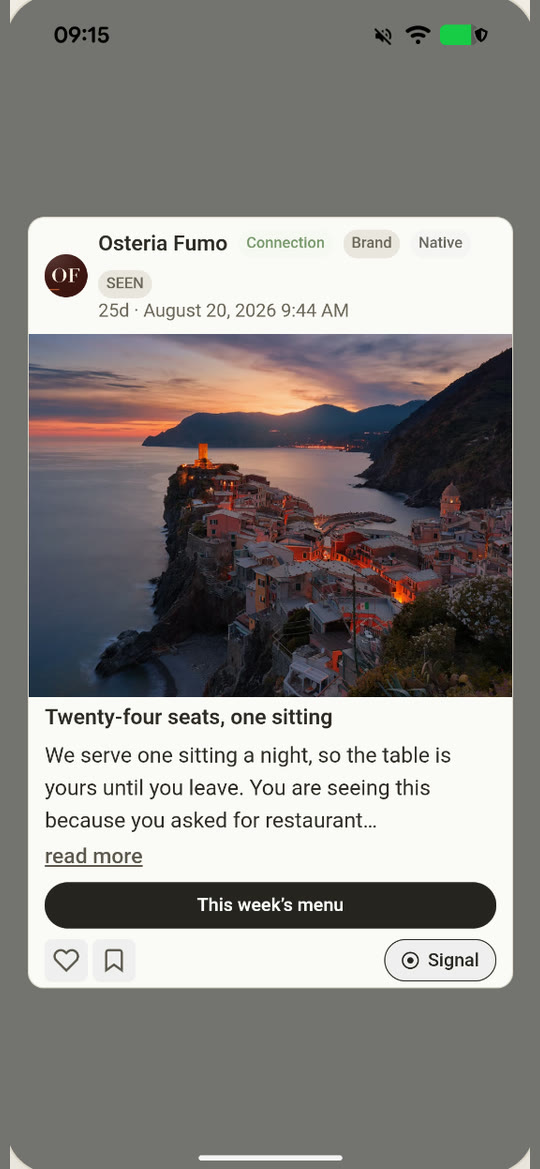
The Content tab holds what came back. Served is what a brand sent you because your signal matched; Searched is what Profila found on the open web, where the brand had no idea you were looking.

What you see — your feed

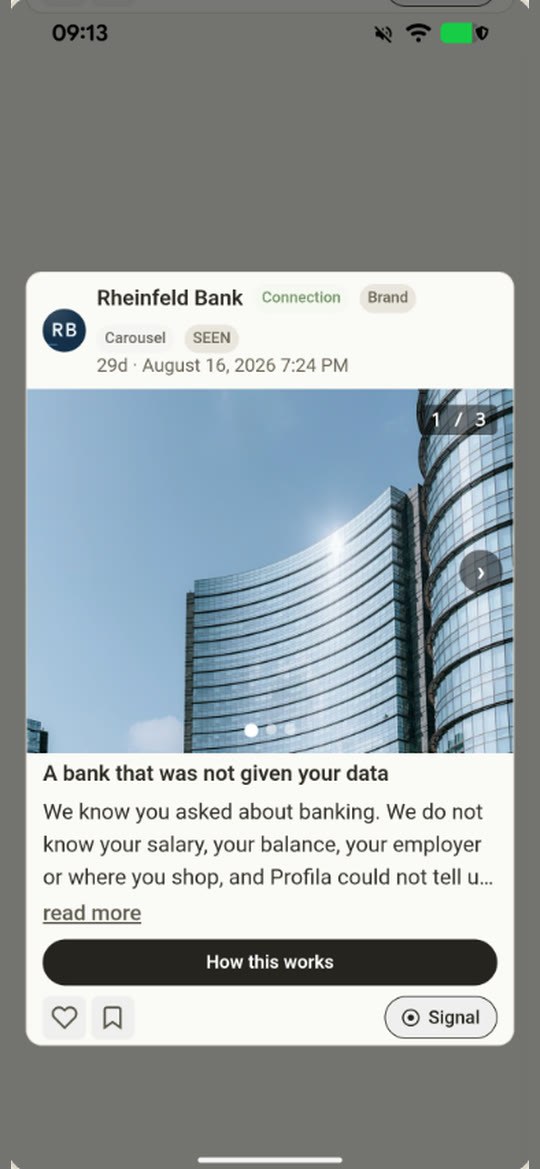
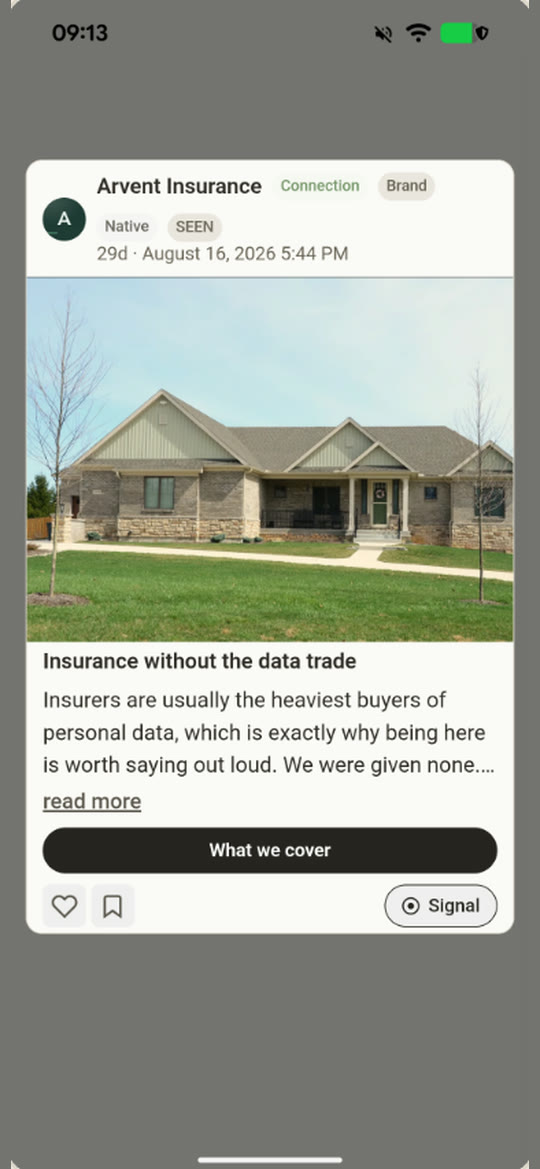
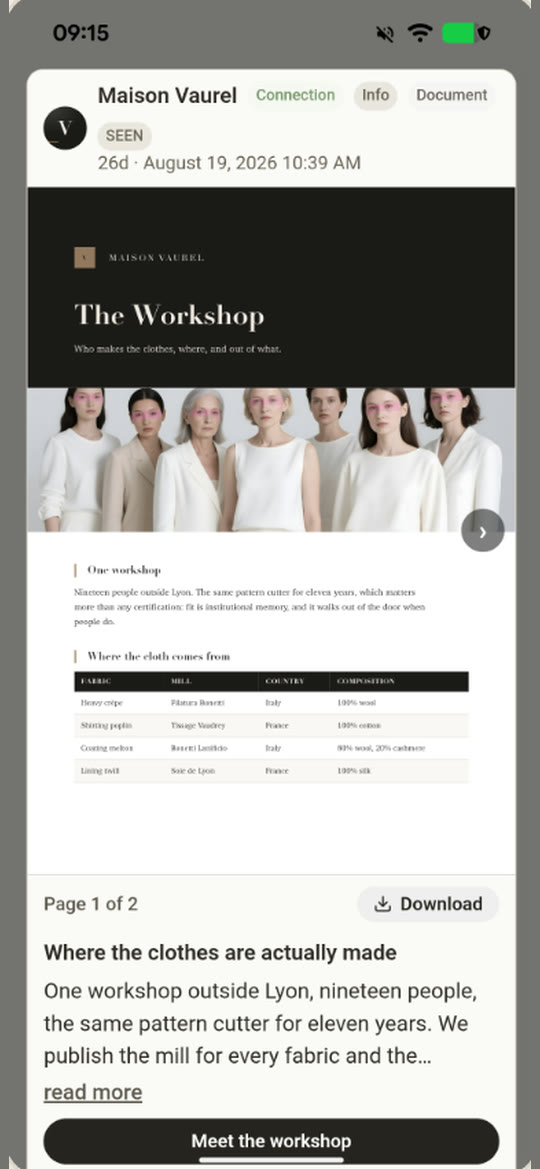
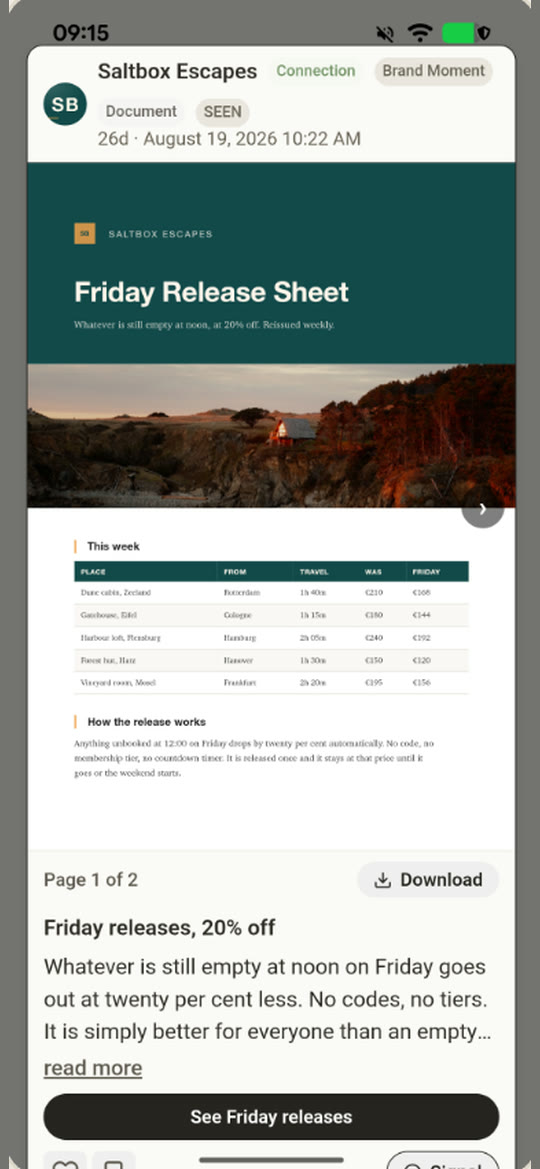
The Content tab with All, Served, Searched and Bookmarks filters above a matched brand card
Filter by Served, Searched or Bookmarks — then Personal or Business. NEW is what you have not read.
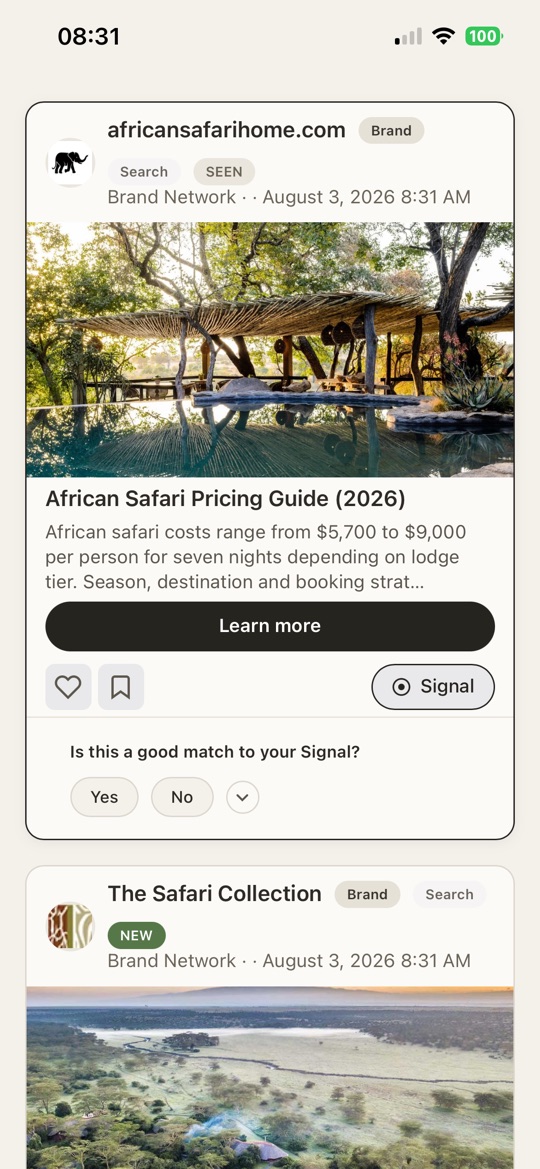
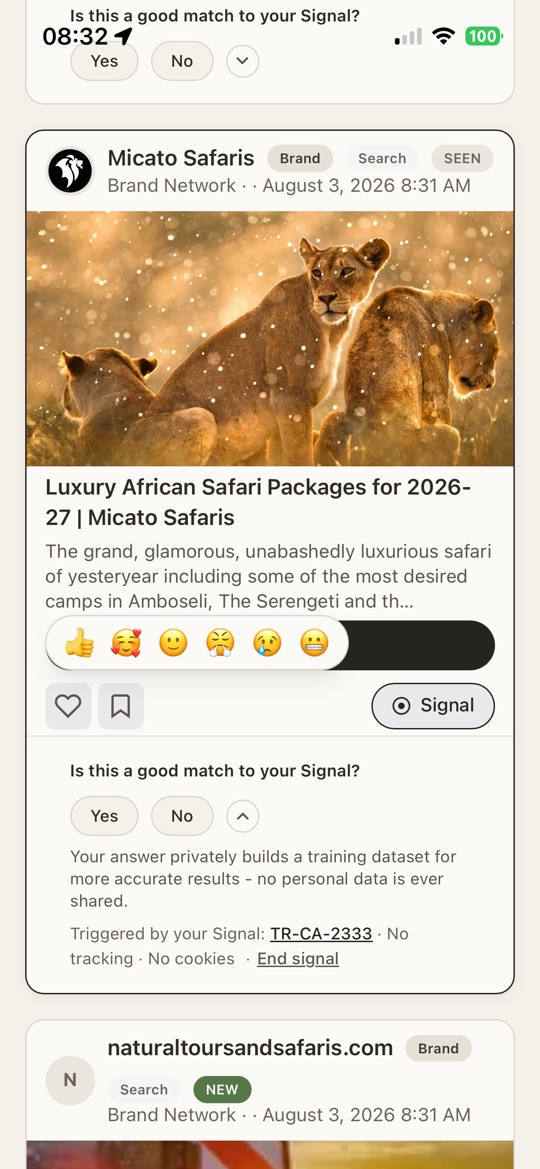
Two brand cards found on the open web, each tagged Brand Network
Found for you, not sent to you. This is what runs before any brand has joined.
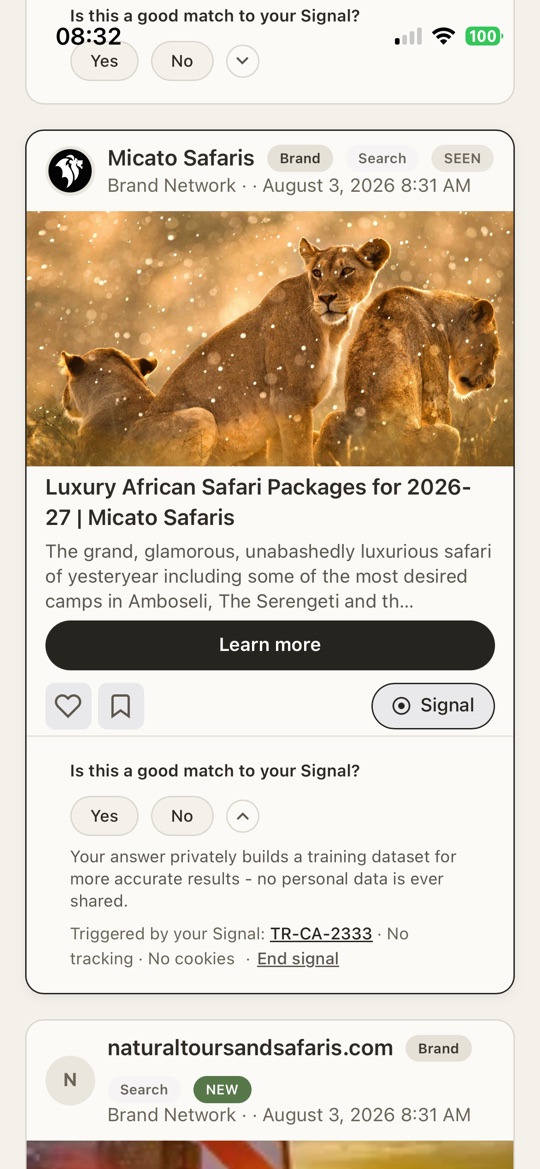
A card’s receipt panel naming the signal that triggered it, with No tracking, No cookies and End signal
Every card names the signal that triggered it, with End signal one tap away.
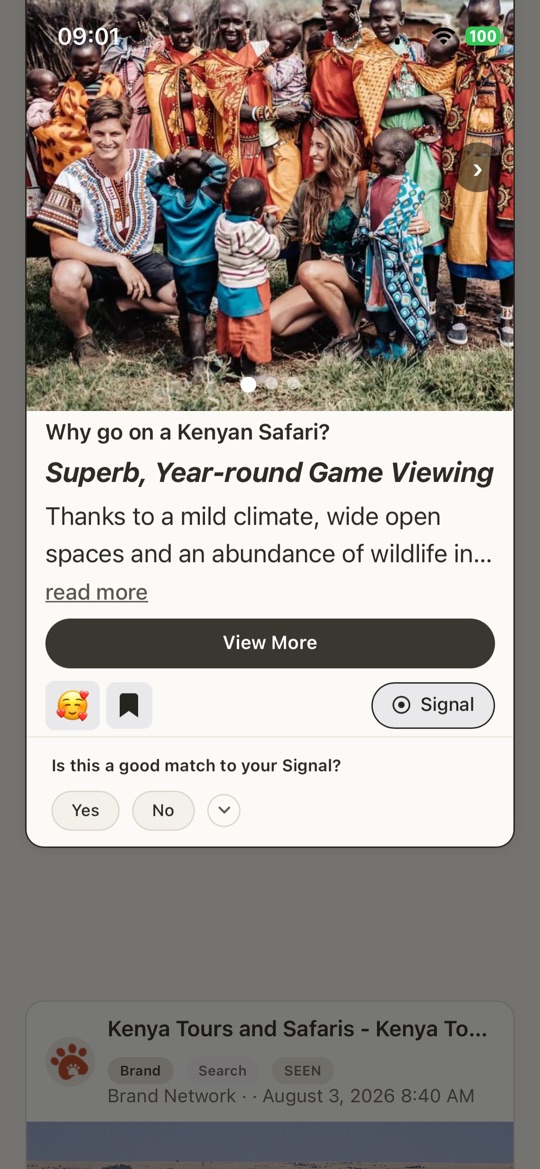
The reaction row open on a card
“Is this a good match?” trains your own results. No brand is told what you said.
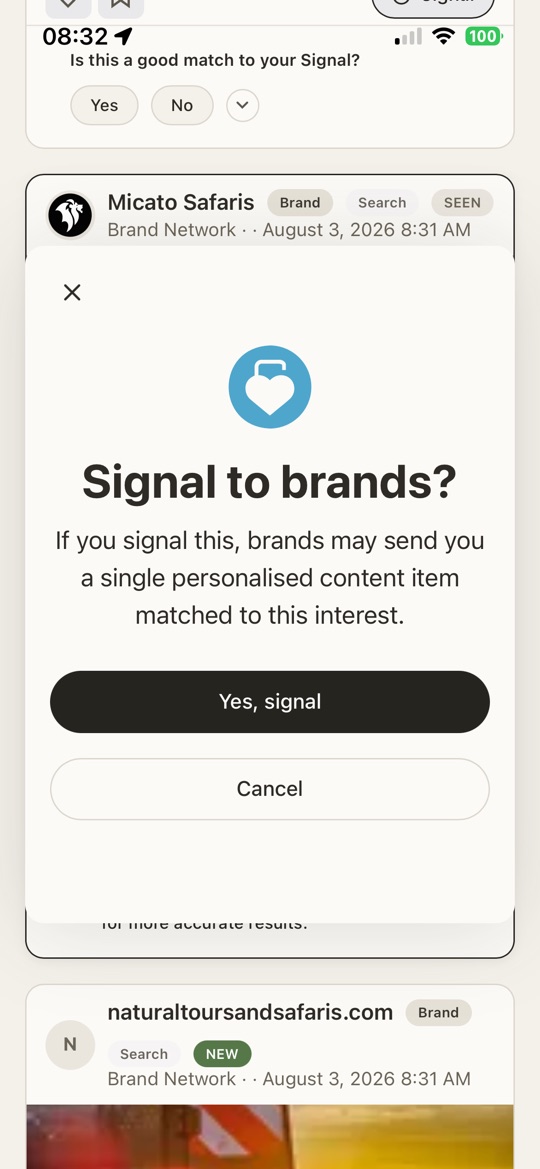
The “Signal to brands?” confirmation, explaining brands may send a single personalised item
Signal back and brands may send one personalised item. One, because you asked.
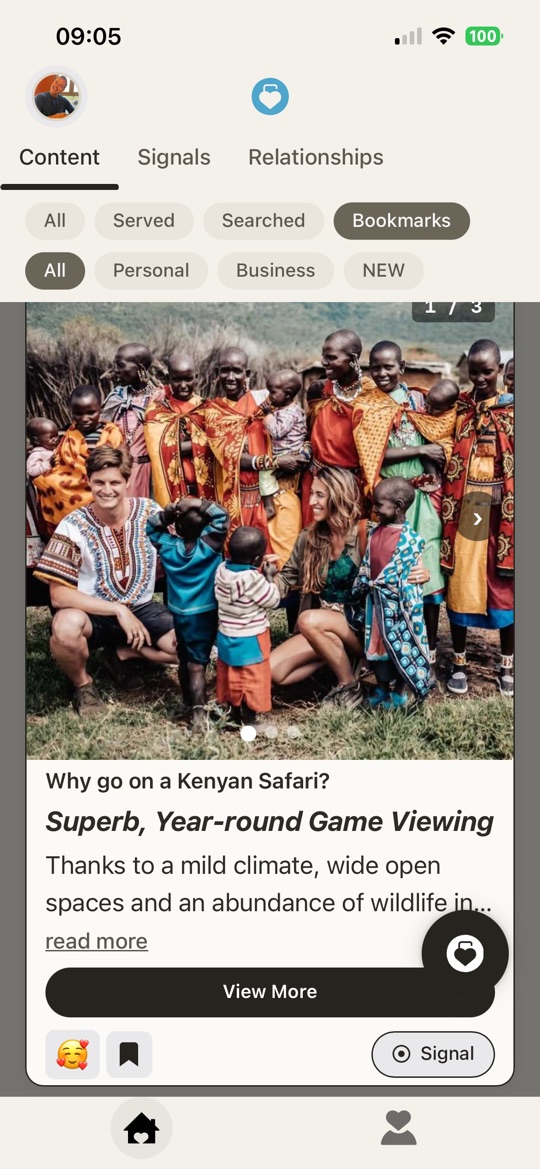
The Content tab filtered to Bookmarks
Bookmarks: what you chose to keep.
One at a time

In Focus

Nothing competes for your attention

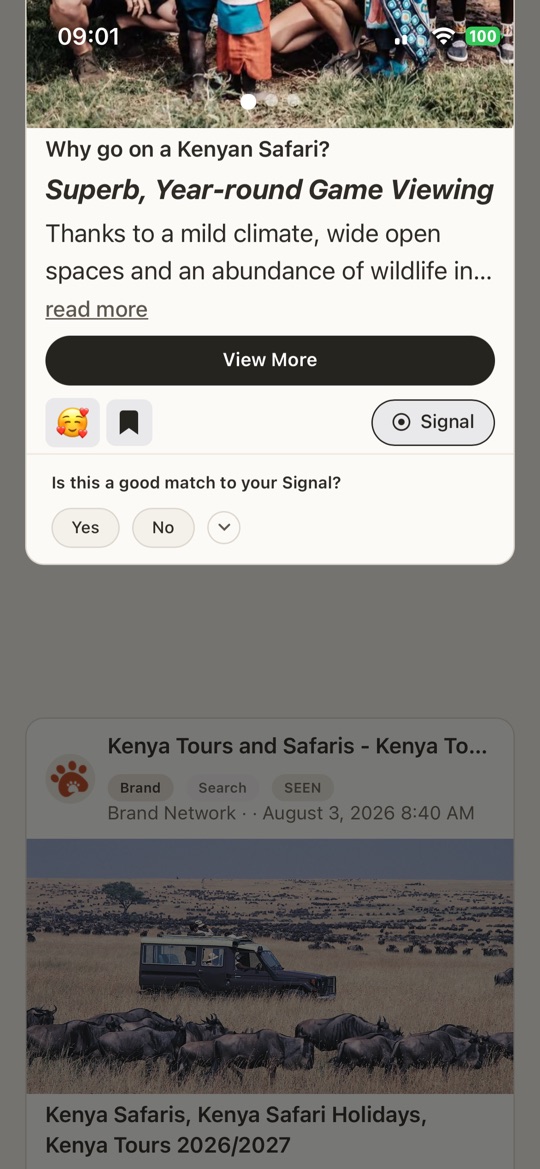
As you scroll, the item you have arrived at is the only one lit. It is the opposite of a feed designed to keep you moving.

What you see — In Focus

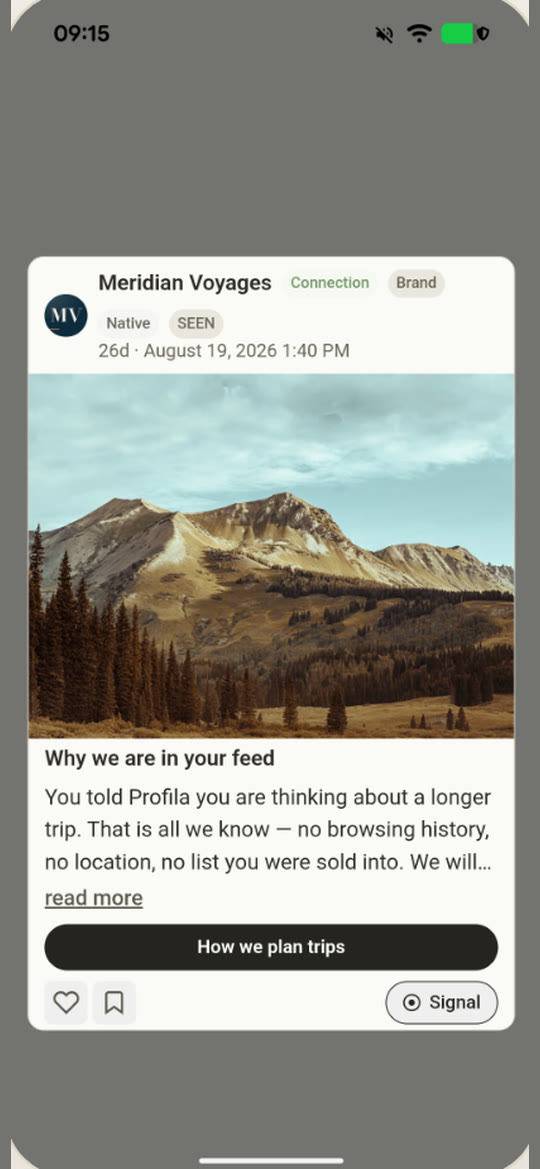
One card lit at full brightness while the card below it is dimmed
Everything else drops into a dim scrim. One thing holds the screen at a time.
The dim handing over as the next card scrolls into focus
No next card glowing at the edge of your eye. When you move on, the light moves with you.
Your signals

Signals

Every signal, and everything it did

Open any signal and you get the whole account of it — what it did, how it was read, and what it shared.

What you see — your signals

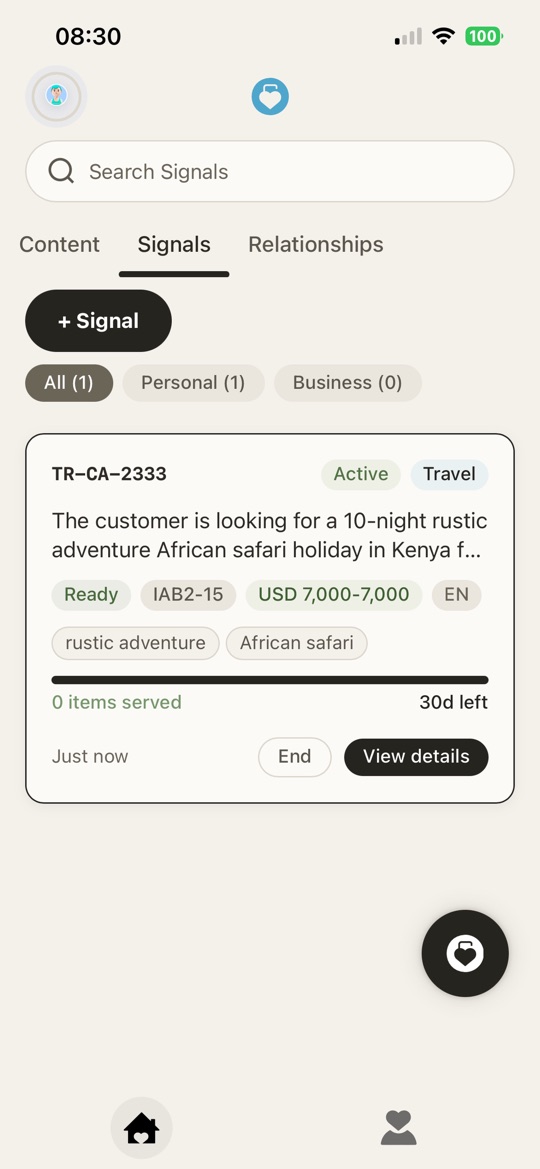
The Signals tab listing an active travel signal with its token, budget and days remaining
Token, category, how much it has produced and how long it has left. Signals expire on their own.
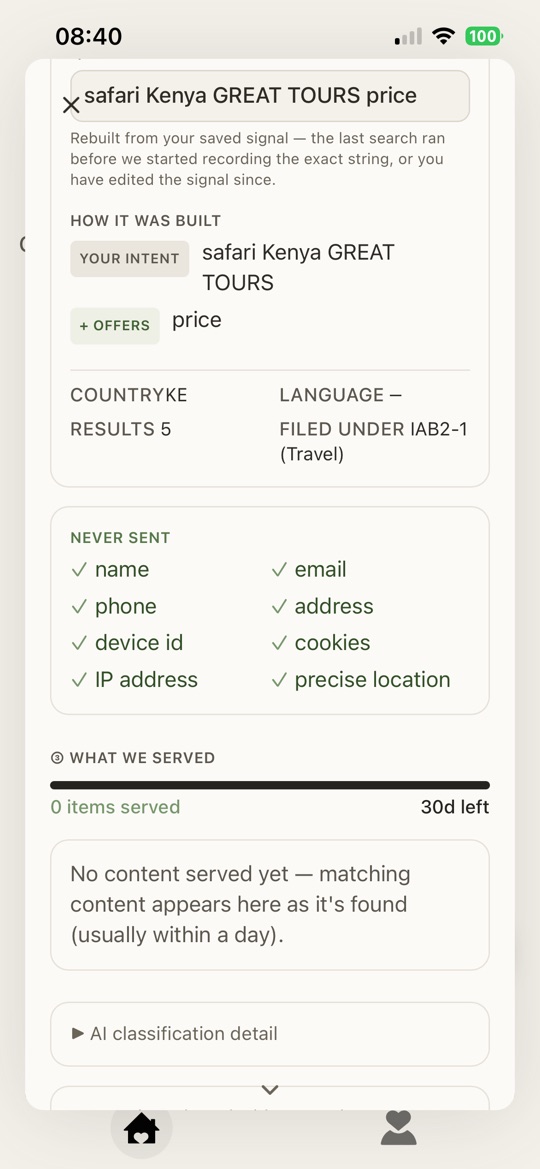
Signal detail showing the “Never sent” list — name, email, phone, address, device id, cookies, IP address, precise location
Never sent: name, email, phone, address, device id, cookies, IP and precise location — each ticked off.
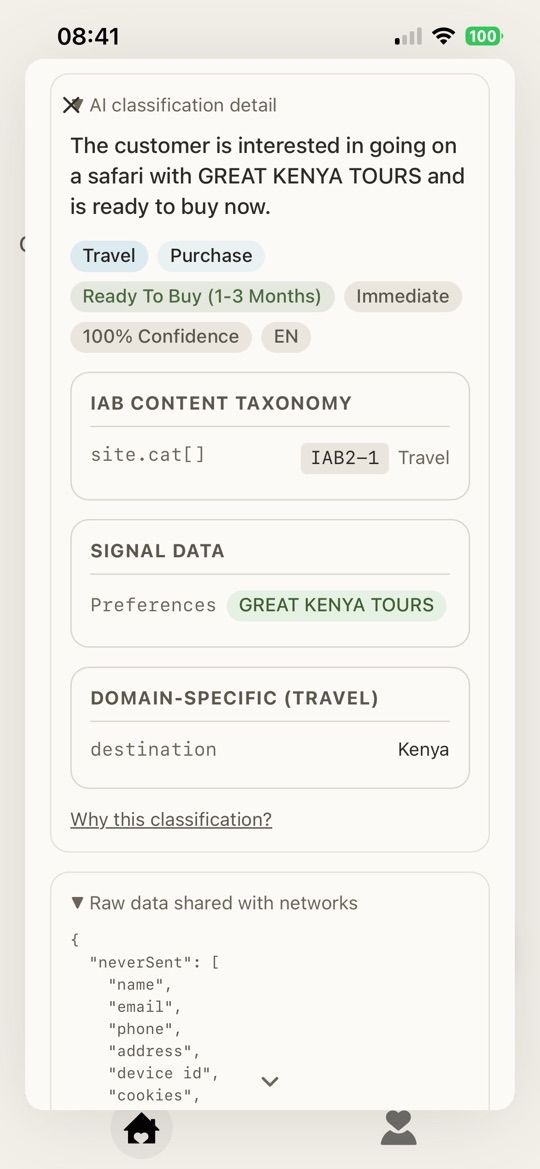
The AI classification panel showing the category, confidence and a “Why this classification?” link
How your words were read: the category, how confident it was, and why.
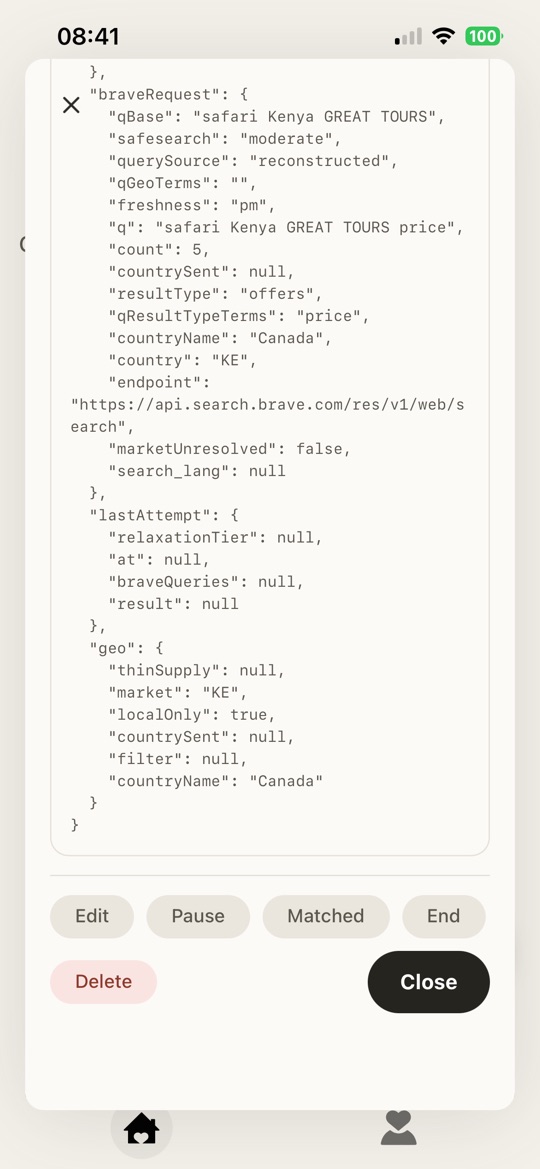
The raw data shared with networks, shown as JSON, above Edit, Pause, Matched, End and Delete
The actual payload, unedited — above Edit, Pause, End and Delete. Ending stops it immediately.
Relationships

Brands

Private, one at a time, and reversible

A relationship is a connection between you and one brand, private to the two of you. Every one is separate — what you share with a bank has nothing to do with what you share with a shoe shop.

What you see — your brands

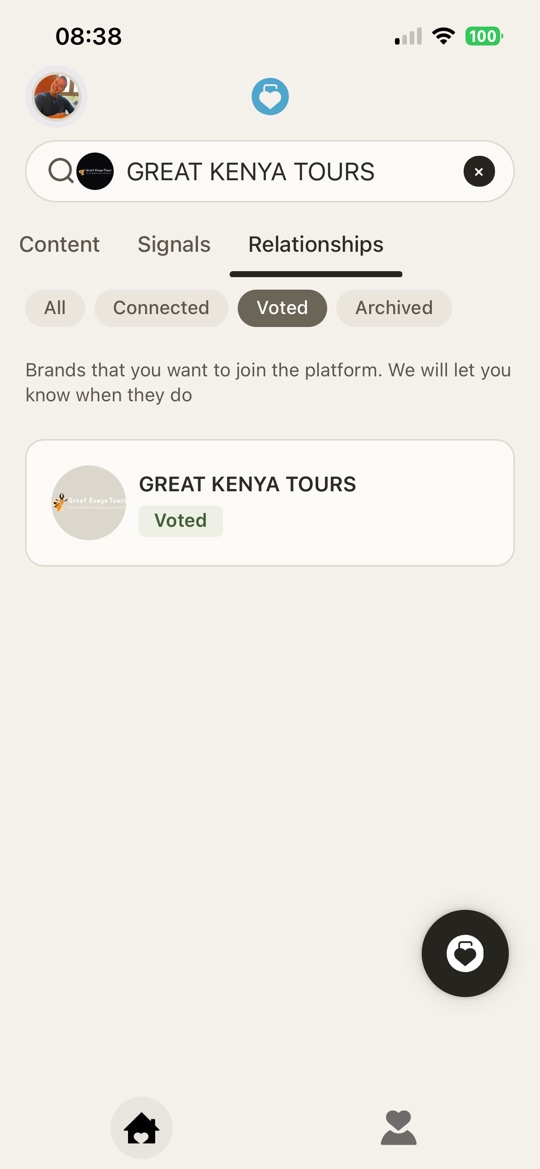
The Relationships tab with All, Connected, Voted and Archived filters
Connected, voted and archived, each on its own filter.
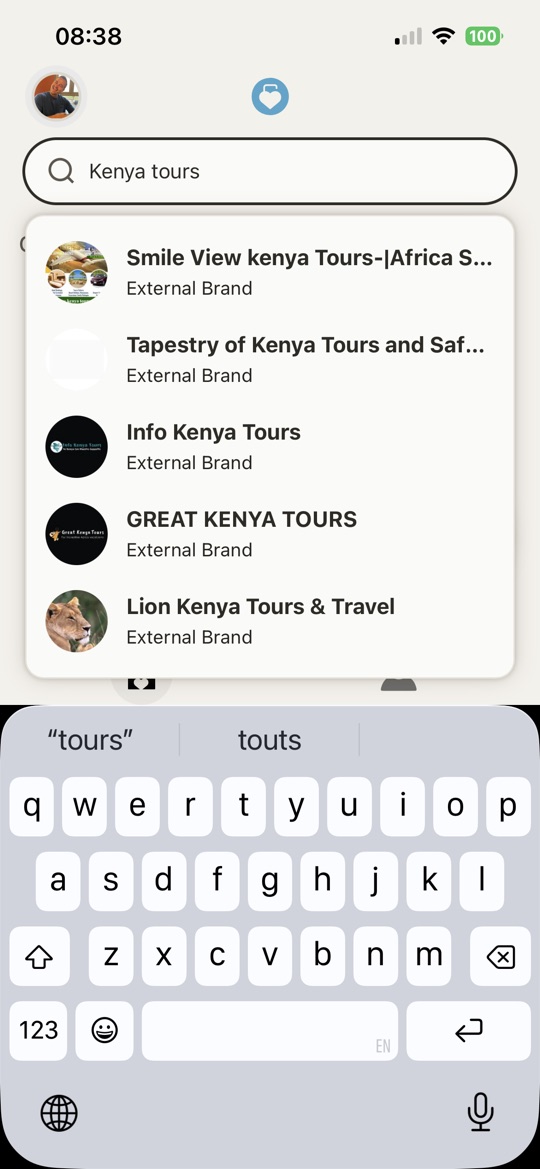
Searching for a brand, showing external brands not yet on Profila
Search any brand. “External” means it is not on Profila yet.
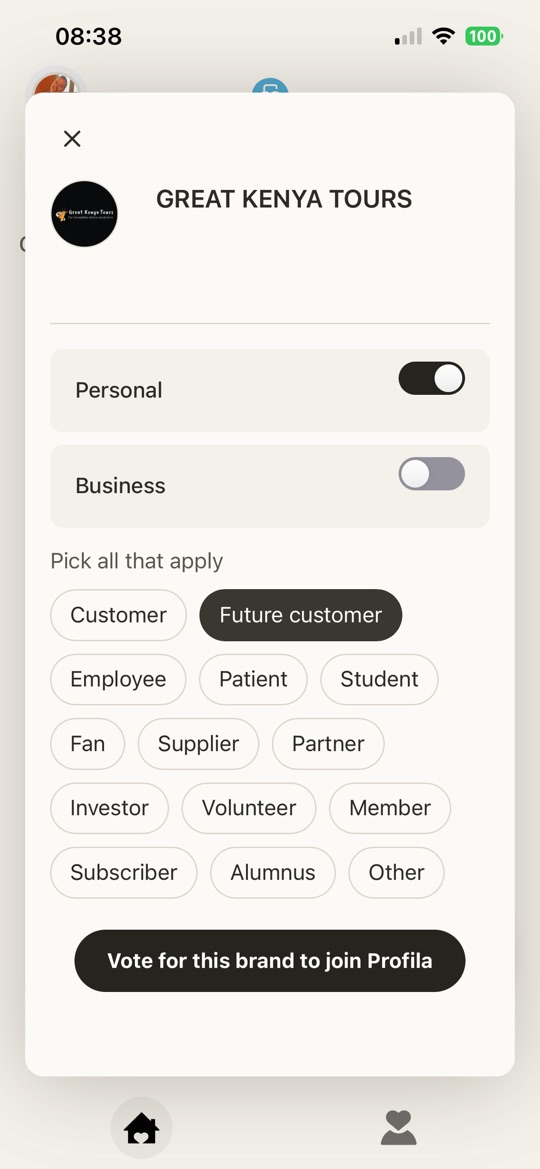
The vote sheet — pick what you are to a brand and vote for it to join Profila
Vote it to join and Profila tells you when it does.
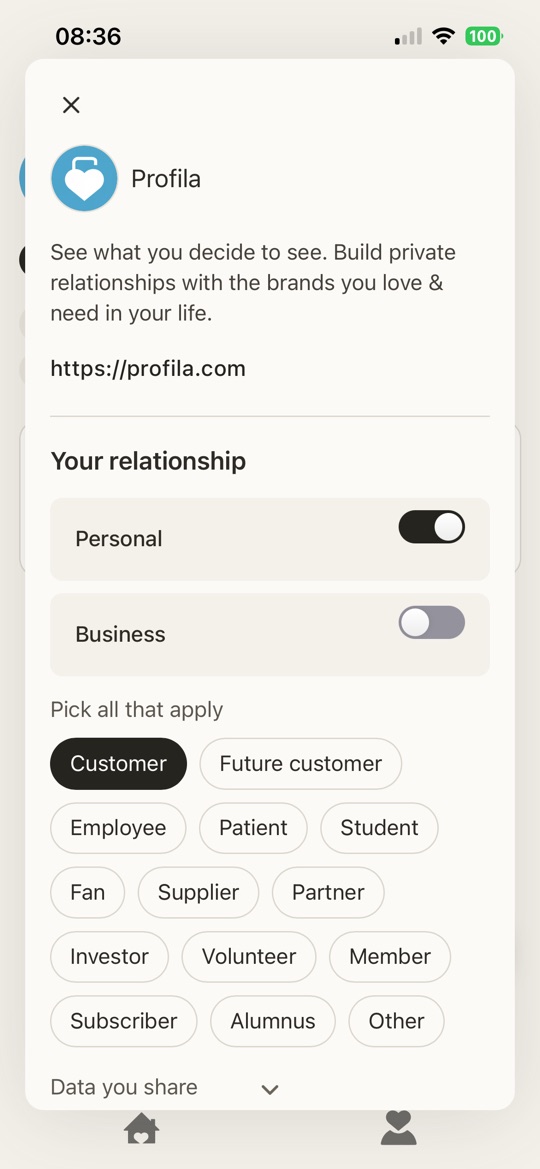
A brand relationship sheet with personal and business toggles and role chips
Say what you are to them — customer, employee, student, investor, fan. It decides what is relevant.
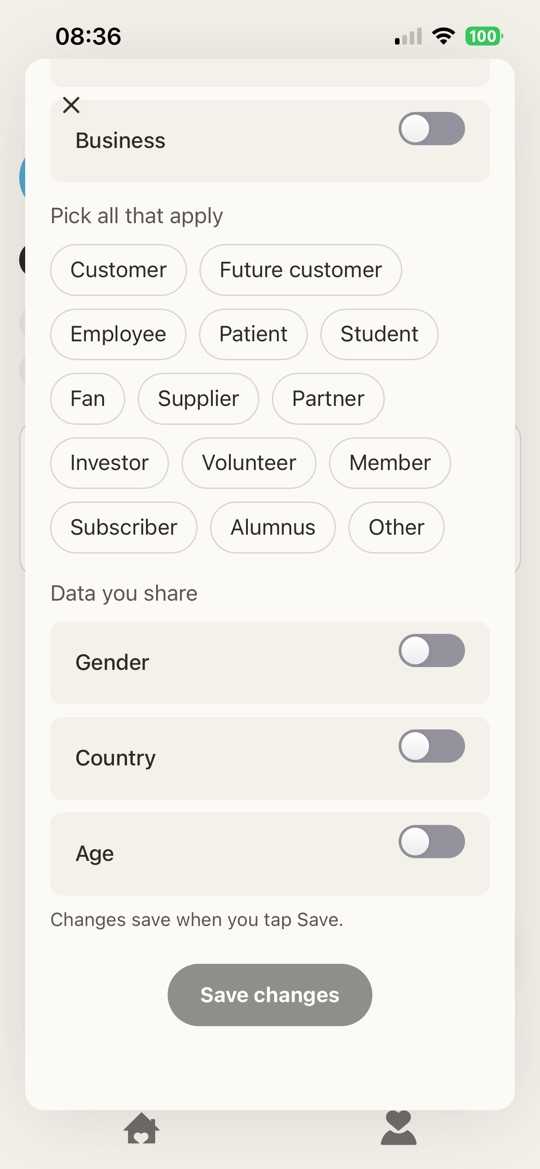
The “Data you share” panel with separate switches for gender, country and age
Gender, country, age — each on its own switch, and nothing shared until you tap Save.
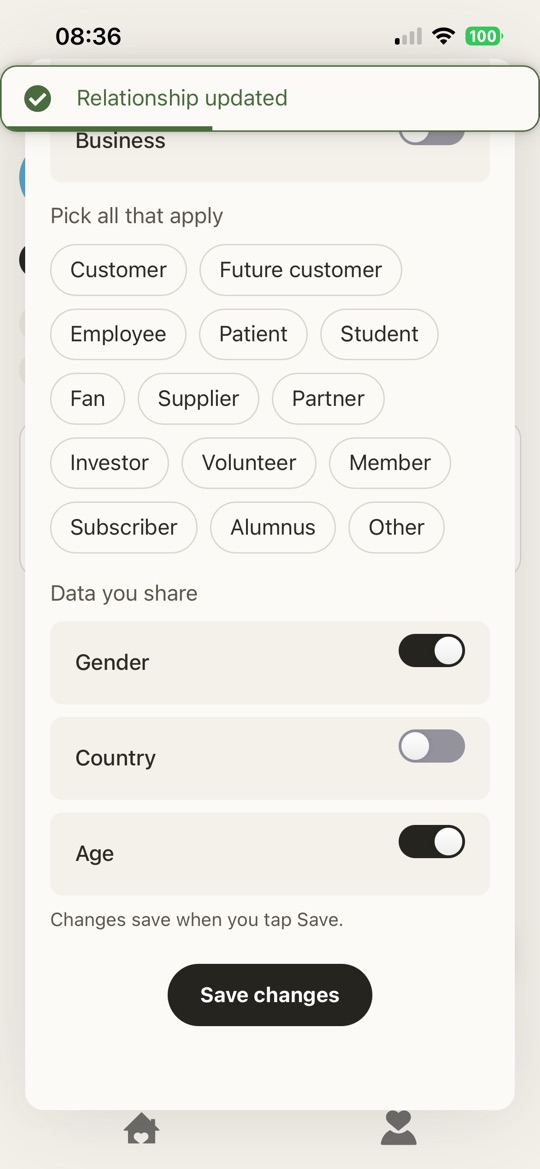
A “Relationship updated” confirmation with gender on, country off and age on
Turning one off stops that sharing. It is reversible, always.
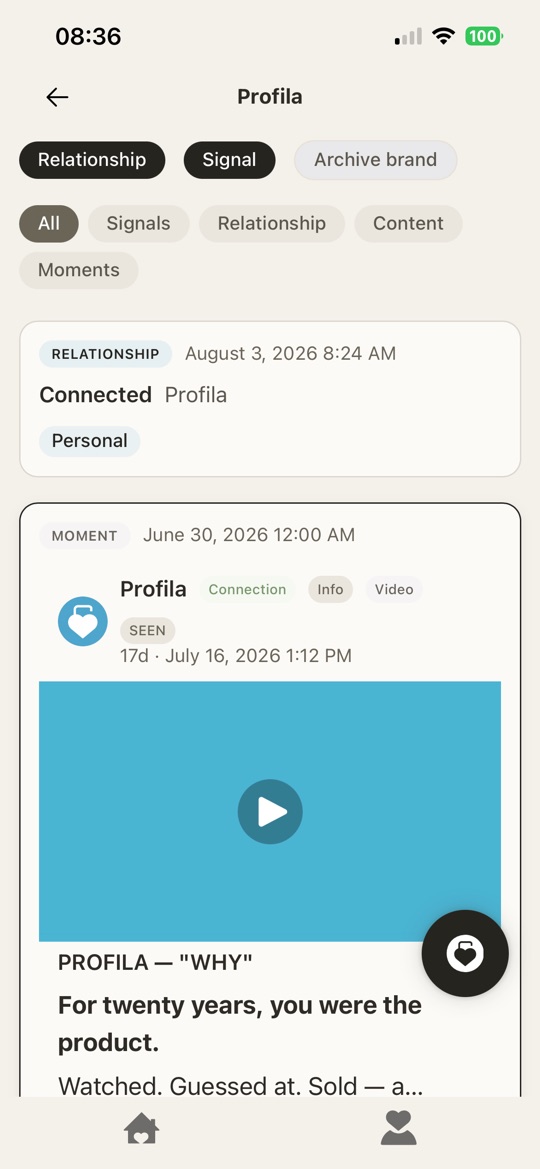
A brand’s timeline filtered by signals, relationship, content and moments
A timeline of everything that has passed between you — signals, content, moments.
My Profila

Your data

Read it, change it, or take it all back

Everything Profila knows about you, on one screen, in plain fields you can read — and change, or delete.

What you see — your own data

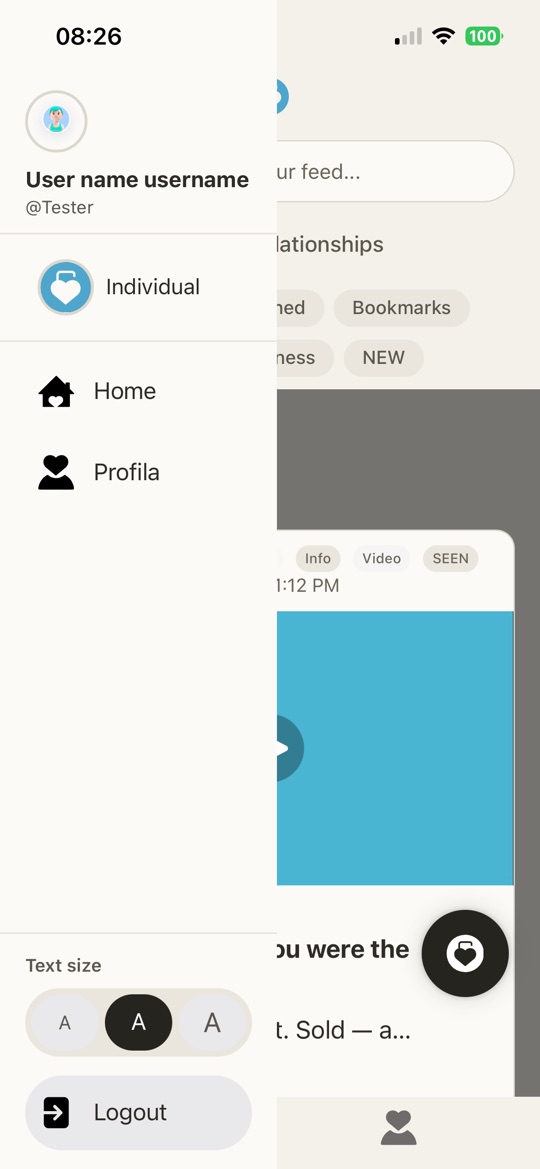
The app menu with the account switcher, Home, Profila, text size and logout
Open it from your picture, top left. It also switches personal and business, and sets text size.
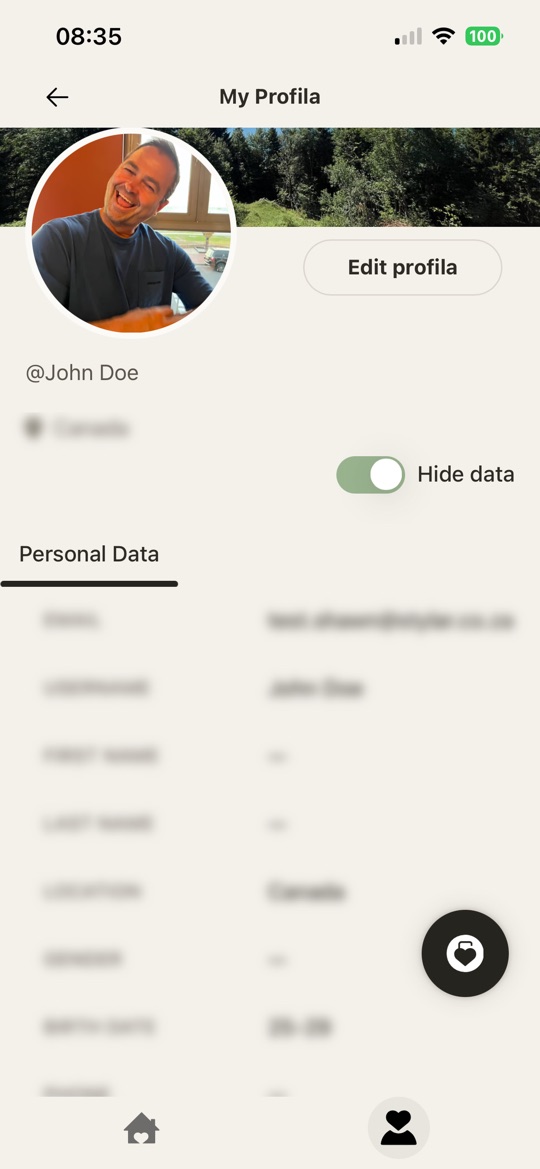
My Profila with the “Hide data” switch on, blurring the personal data fields
Hide data blurs the screen, for when you are not alone.
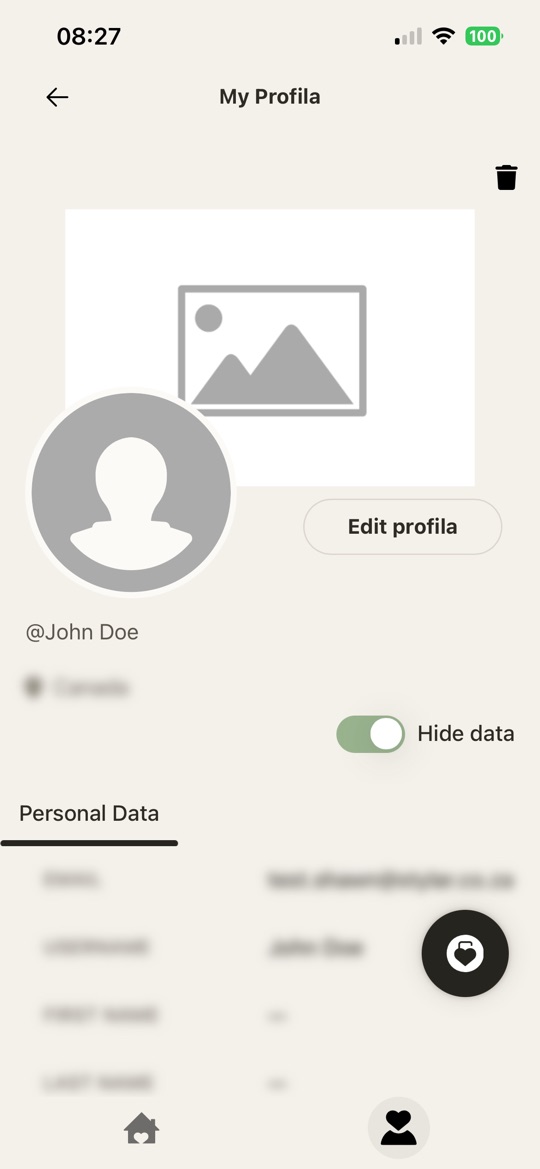
My Profila showing “Edit profila” and the delete-account bin
Edit any of it. The bin, top right, deletes the account and everything attached to it.

Every screen on this page is yours.

Start with a signal. The rest is discovery.

Get the app

Get it on Google Play Download on the App Store — coming soon Coming soon

or sign up online — it works in the browser.